

Events
Overview
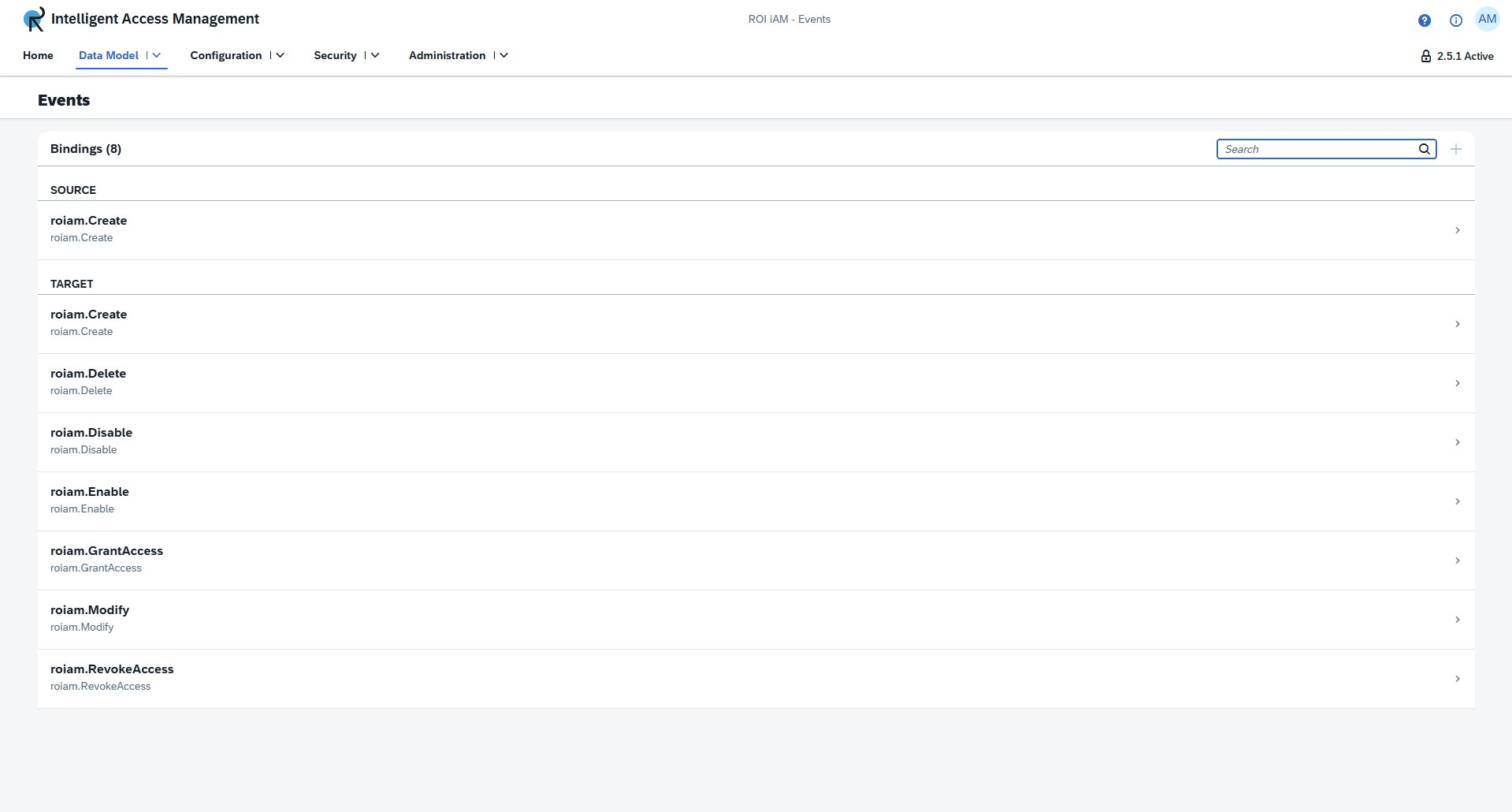
The Events section lists all events available for Source and Target systems. Events define what should be triggered when an event is received. Each ROI iAM event has a name and each event is bound to a specific ROI iAM Model Entity.
There are three views available for this section: one list view and two detail views. The list view is divided into Source and Target events. Each event has two detail views: the first one shows the bound model entities and the respective event for each model entity; the second detail view can be opened when a bound event is selected, and shows a table which displays what repository types can use this event.
Access
To learn more about the necessary access and prerequisite requirements for this section, please review the following documentation: Security
List view
The list view displays all events, divided into Sources and Targets.
Creating an event
To create a new event:
- Press the Create button, located next to the search bar.
- Choose whether the identifier should be automatically generated or manually defined. Using the toggle will change the create dialog based on the selection.
INFO
When using an automatically generated identifier, it will always be prefixed with
roiam.. The identifer can contain up to 250 characters. - Input a Name - This field is mandatory. The name must be unique. It should start with a letter and can contain letters, digits, or dots, but cannot end with a dot.
- Input a Description - This field is mandatory. It can contain up to 512 characters.
- Select Origin - This field is mandatory. This determines whether the event will be available for source or target systems.
Details view
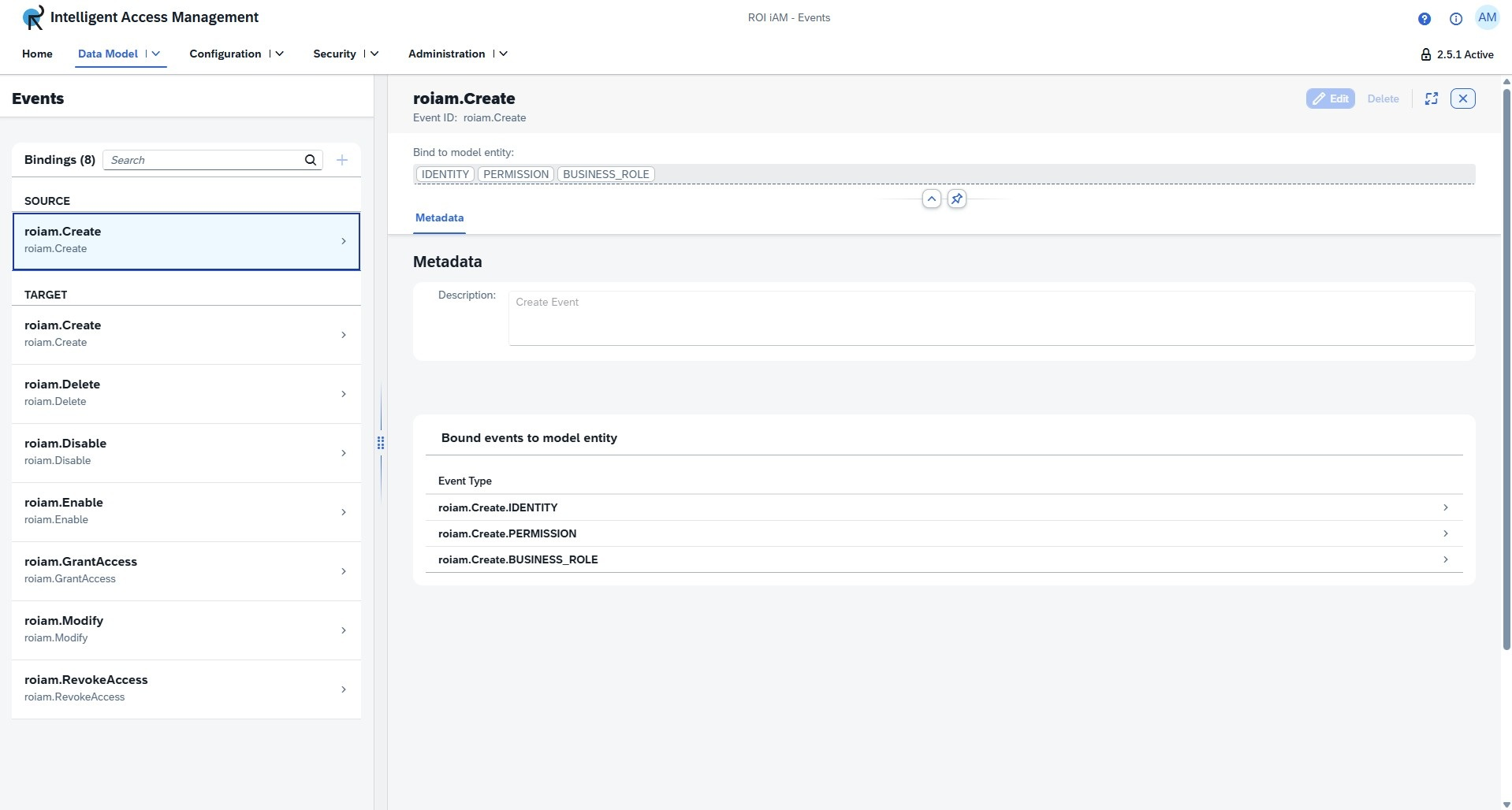
The details view provides an overview of the bound model entities and the bound events to the model entities.
The controls for the details view are located in the upper right corner. Left to right, we have the following buttons:
- Edit - Enters edit mode, allowing you to modify the event.
- Delete - Deletes the event.
Edit mode
Bound model entities can be edited by opening the Model entities dialog (accessible from the input field) and selecting any of the listed model entities. There is no limit to the number of selections.
Metadata
Description - Can be modified by entering text in the description field. This field cannot be empty.
Bound events to model entity - This section shows all events based on the bound model entities. Clicking on an event in this section will open the next detail view.
INFO
Clicking on an event while in Edit mode will automatically disable edit mode. If there are unsaved changes, they need to be saved or discarded first before navigating.
Event Detail view
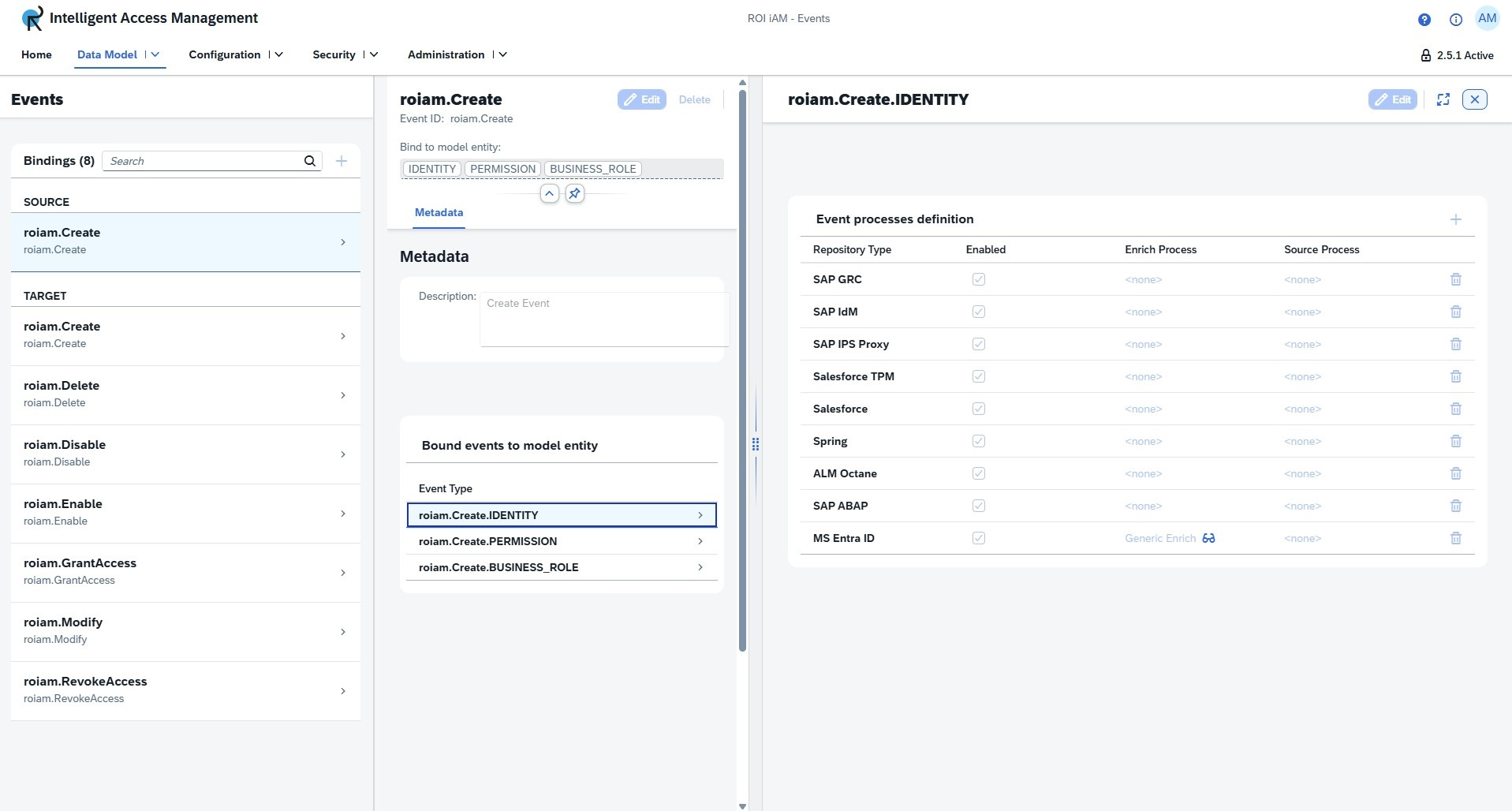
The second details view opens the Event processes definition table. This table lists the repository types which have this event available, and links the processes which will be used with the event.
Edit mode
- To add a repository type for this event, click the Add button. This will open a dialog with all available repository types. Select any of them and click OK.
- To enable the event for the selected repository type, check the Enabled box on the respective line.
- To add a process, click on the blue link in the Enrich Process or Source Process column. This will open the Select Process dialog with the process explorer view.