Main View of the System Landscape
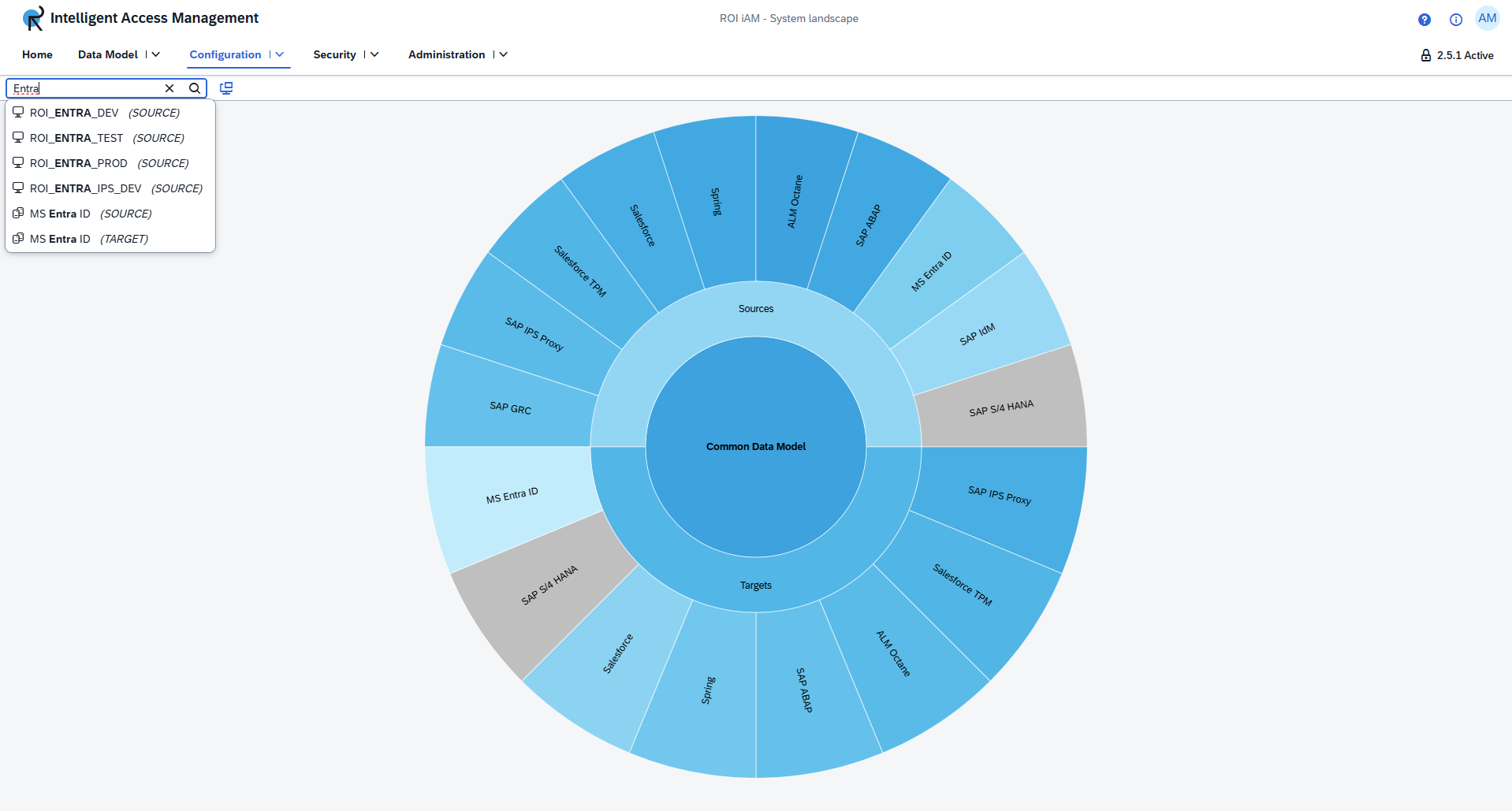
The main view of the System Landscape displays a sunburst diagram that provides a clear, visual representation of all repository types and their current states. The diagram is divided into three main sections.
Diagram Structure
Center
At the center of the diagram is the Common Data Model (CDM). It serves as the central control point of the entire System Landscape. Through the Common Data Model, users can:
- Enable or disable the entire system
- Modify environment variable values
Inner Ring
The inner ring is divided into two sections:
- Sources – displayed at the top
- Targets – displayed at the bottom
This layout allows users to easily distinguish between source and target repository types.
Outer Ring
The outer ring contains multiple segments, each representing a specific repository type within the System Landscape. The color of each segment indicates its current state:
- Blue – Enabled
- Grey – Disabled
TIP
The inner and outer rings are connected. The inner ring divides the diagram into Sources and Targets, and all repository types within each segment correspond to that system type.
Navigating Repositories
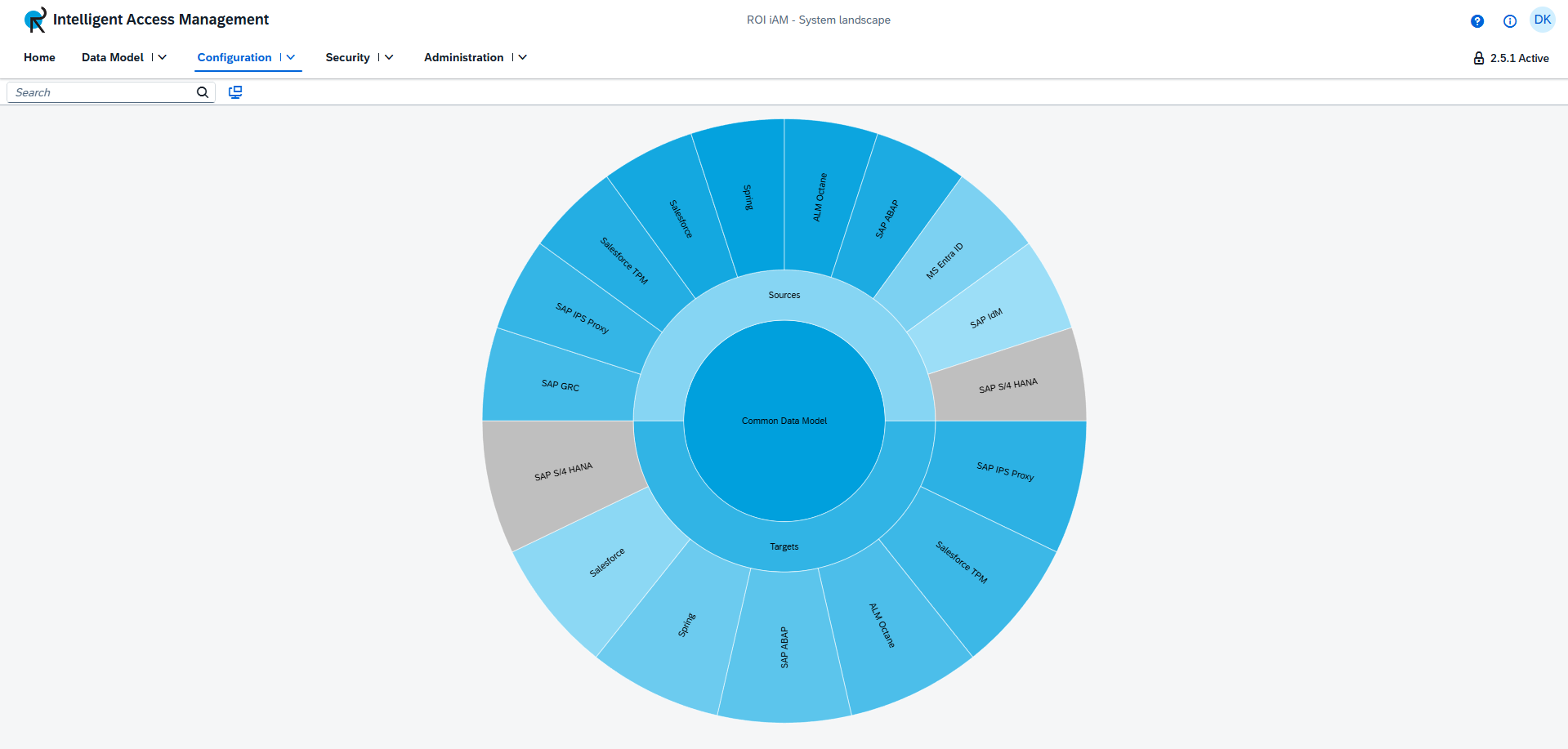
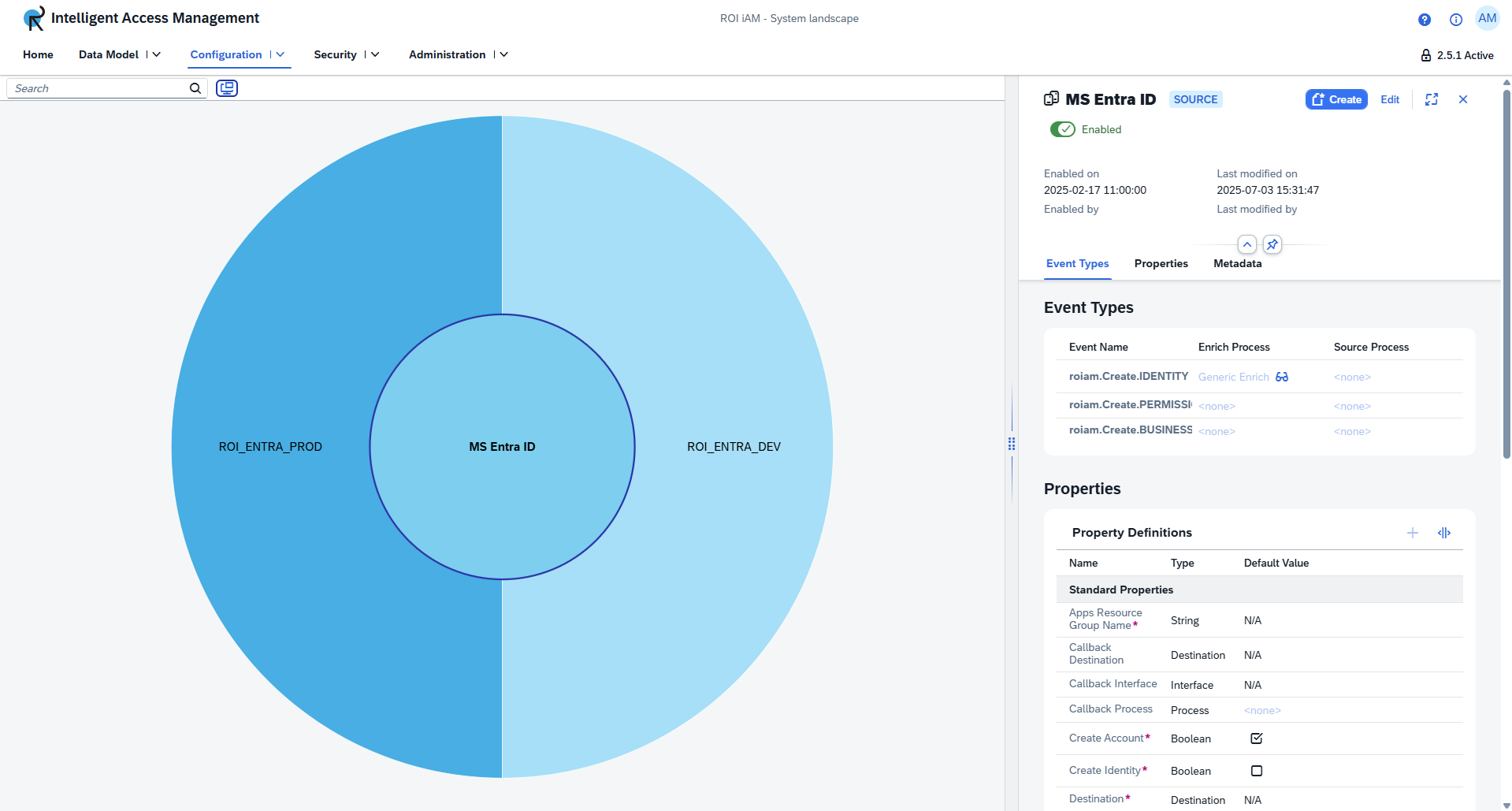
To explore the available repositories, click on a segment (e.g., Salesforce TPM) within the diagram. This action updates the view to display all repositories of the selected type (e.g., all repositories of type Salesforce TPM) and opens a page containing the repository type details.
TIP
To view the details of a specific repository, select that repository from the list.
Additional Features
Search
The System Landscape also includes a search feature that allows users to quickly locate repository types or repositories without manually selecting diagram segments. The search bar, located at the top left of the diagram, displays results that clearly indicate:
- The type of the result (Repository Type or Repository)
- The system type (Source or Target)
- The repositories of the result