Artifact Configuration
This step involves configuring the selected entry types and attributes for migration into ROIiAM.
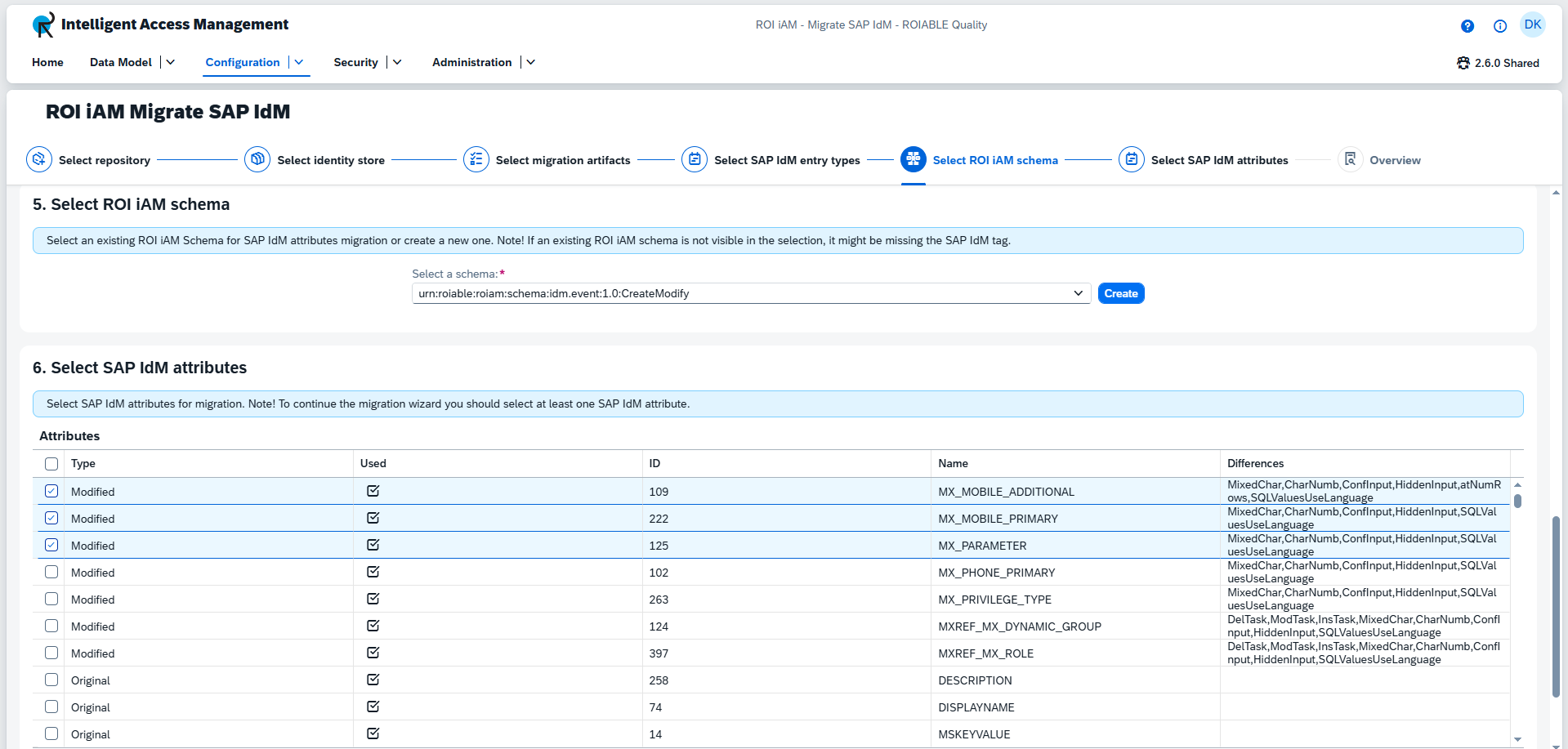
Configure Entry Types
Select the entry types you wish to migrate to ROIiAM.
- To migrate an entry type, you must select it and fill in the
ROIiAM Model Entity NameandDescription. - Press
Validateto verify that theROIiAM Model Entity Nameis valid before proceeding. - At least one entry type must be selected to proceed.
TIP
- The
ROIiAM Model Entity Namemust be unique and not already exist. - Items that have already been migrated will have a pre-filled name and description and cannot be selected or modified.
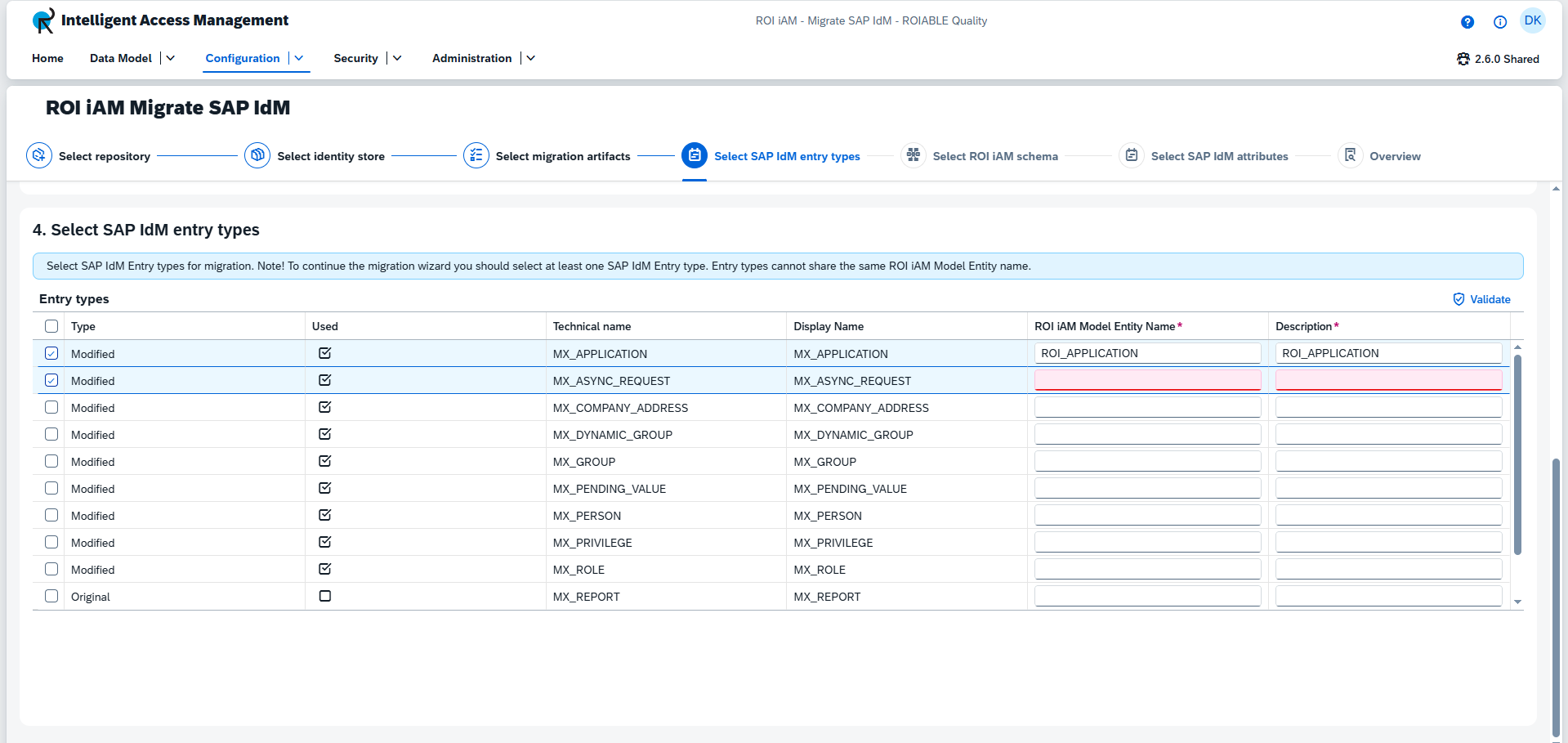
Configure Attributes
1. Select ROIiAM Schema
Select a schema to migrate the attributes to. You can either choose an existing schema or create a new one.
- To create a new schema, click the
Createbutton. This will open a dialog where you can input the details for the new schema.
TIP
Only schemas with the SAP IdM tag are available in the list.
2. Select SAP IdM Attributes
Select the attributes you wish to migrate to the chosen schema.
- At least one attribute must be selected to proceed to the next step.