Event Details
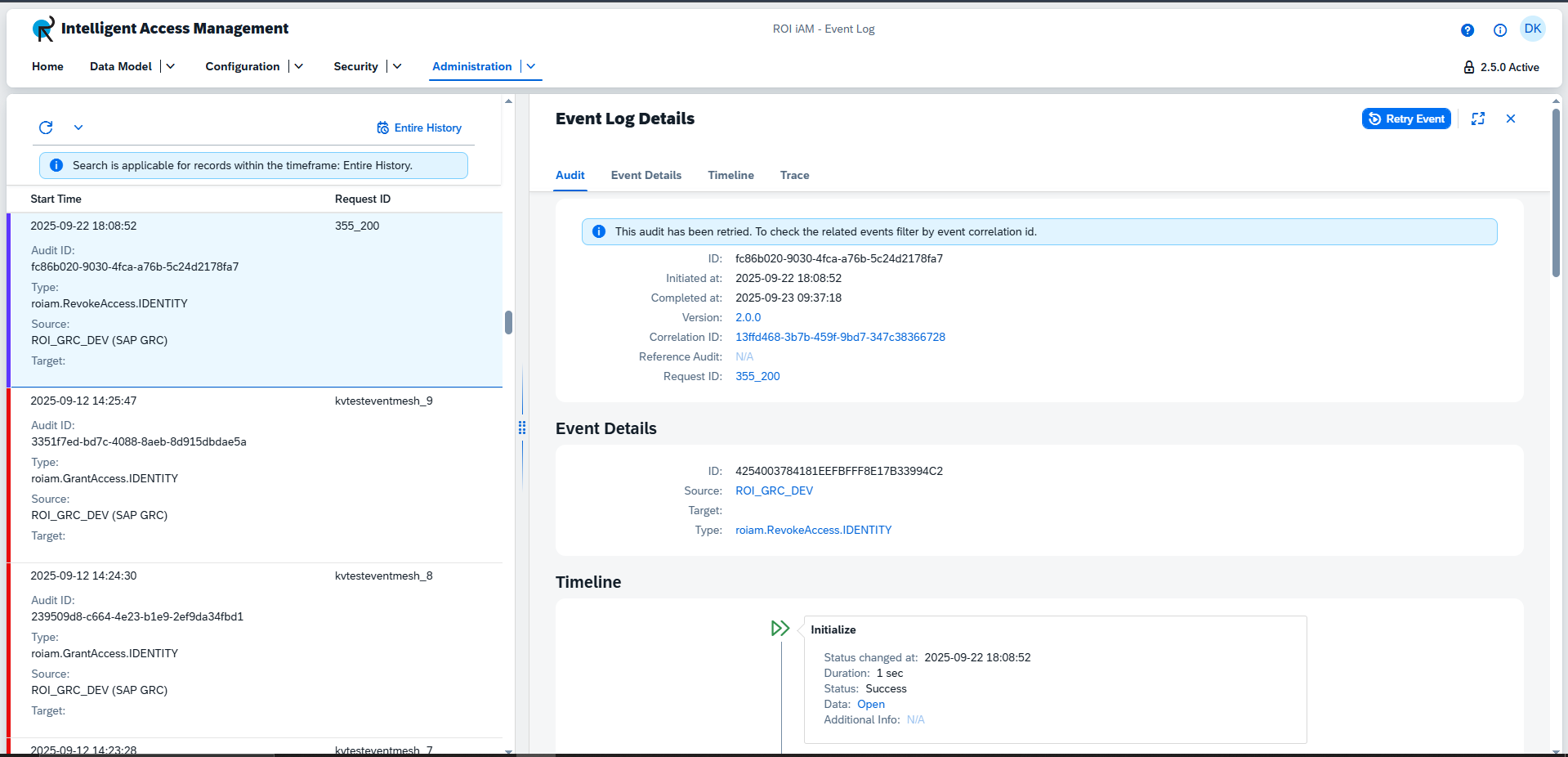
The Event Details view provides an in-depth look at a specific event. Depending on the event's current state, different functionalities are available:
Cancel: For events that are currently running.Retry: For events that have failed.
TIP
This is an example of a process that can be retried. The interface for cancellation is identical.
This view also provides access to the following detailed information panels:
Audit Details
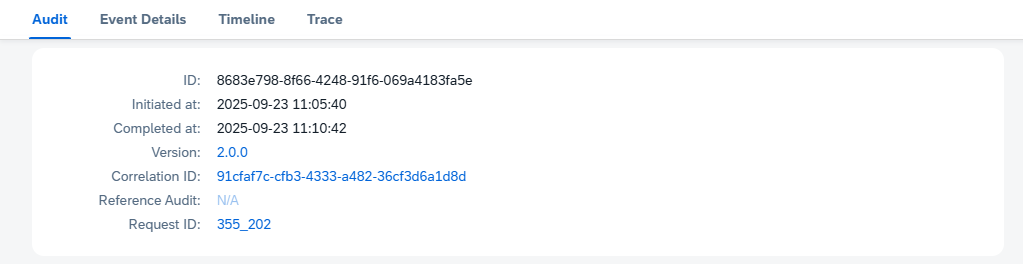
This panel displays core audit information: the audit ID, initiation and completion times, version, Correlation ID, Reference Audit, and Request ID.
TIP
The Audit Details view is interactive. Clicking on the Correlation ID, Reference Audit, or Request ID will navigate you to the corresponding item. Similarly, clicking the version number will open the change management view.
Event Details
This panel provides key event identifiers: ID, Source, Target, and Type.

TIP
This section contains convenient navigation links. Clicking the source or target will take you to its repository in the "System Landscape," while clicking the type will navigate you to the "Event" tile.
Timeline
The timeline offers a comprehensive overview of the event's progression through its various stages. Each stage displays its start time, duration, status, and any additional data.
| Stage | Description |
|---|---|
| Initialize | System setup and environment preparation. |
| Prepare to Execute | Loading configurations and validating preconditions. |
| Ready to Run | Final pre-execution checks are complete. |
| Runtime | Main processing stage, which includes the following substages: |
| ├── Enrich | Enriching data with contextual information. |
| ├── Source | Retrieving input data. |
| ├── Validate | Validating data for accuracy and integrity. |
| └── Target | Writing or updating target entities. |
| Execute | Final execution of the intended operation. |
| Callback | Post-execution cleanup or follow-up actions. |
TIP
To view additional data or metadata for a specific stage, click the Open or View JSON link. This opens a pop-up window displaying structured JSON information relevant to that stage. If no data is present, it will show N/A. To view additional data or metadata for a specific stage, click the Open or View JSON link. This opens a pop-up window displaying structured JSON information relevant to that stage. If no data is present, it will show "N/A".
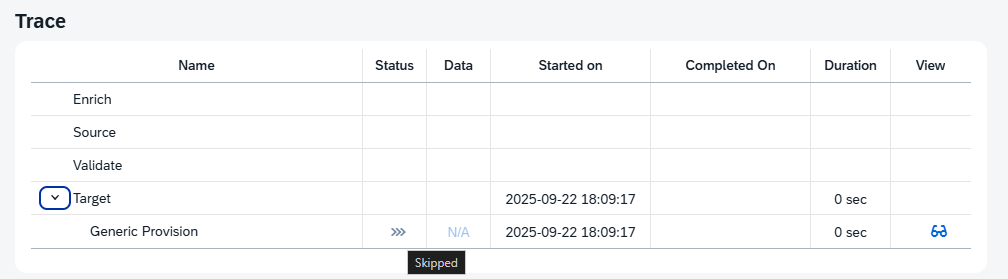
Trace View
The Trace View offers a granular look at the steps an event undergoes during the four Runtime sub-stages: Enrich, Source, Validate, and Target. You can expand each row to see detailed information, including status (hover for text), additional data, start/completion times, duration, and a "View" button to inspect the process.