

Repository Type and Repository Details
The details of a repository type or repository within the System Landscape play a crucial role in the overall functionality and configuration of the ROI iAM system.
In ROI iAM, these details are organized into a Header and three main sections: Event Types, Properties, and Metadata.
Header
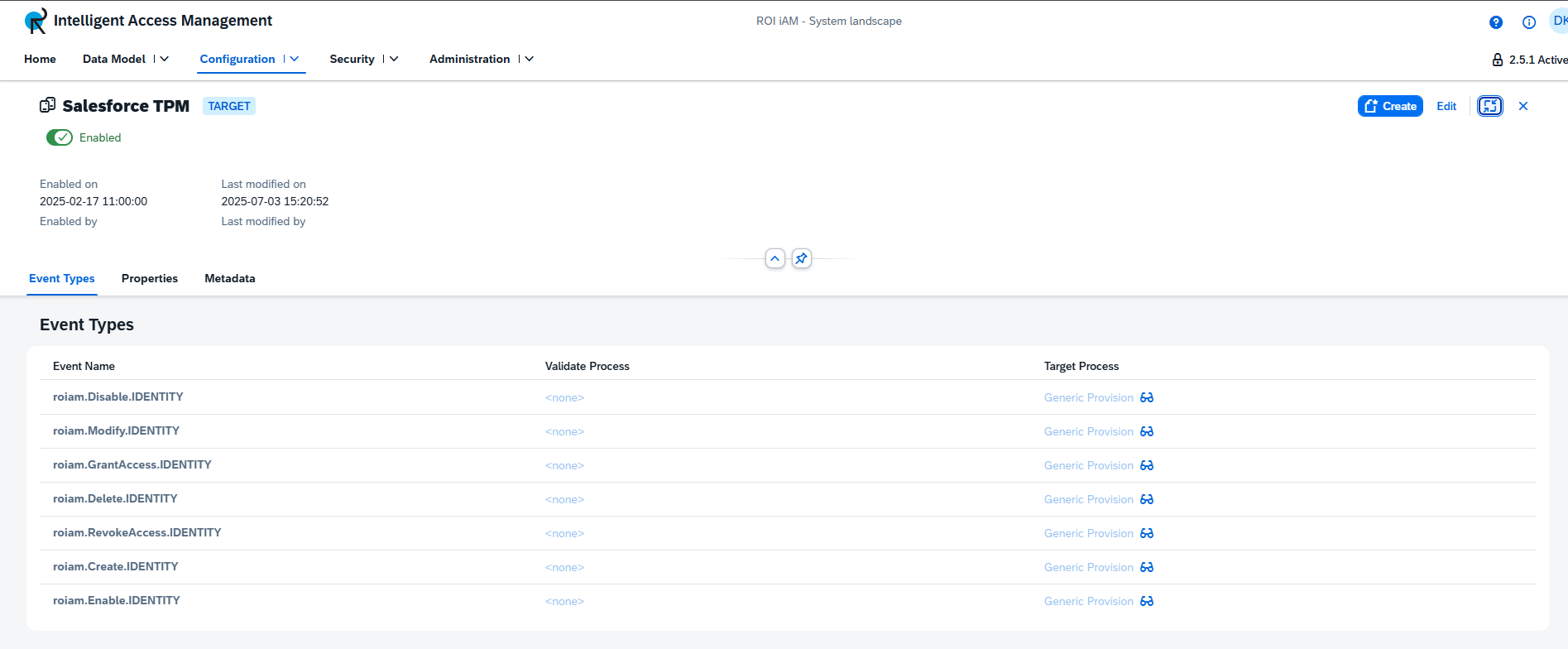
The Header provides essential information and controls for each repository type or repository, including:
- System Type — Indicates whether it is a Source or Target system. Displayed as a blue tag on the right-hand side of the name.
- State — Shows whether the repository or repository type is enabled or disabled, represented by a toggle switch located below the title.
- Status History — Displays when the repository or repository type was last enabled or disabled, and by whom.
- Last Modified — Indicates when it was last modified and by which user.
Actions in Header
In addition to providing valuable information, the header also allows users to perform the following actions:
| Action | Repository Type | Active Version / Revision | Repository | Active Version / Revision |
|---|---|---|---|---|
| Change state (enable/disable) | ✔ | Active Version | ✔ | Active Version |
| Create new repository | ✔ | Active Version | ✖ | - |
| Delete repository | ✖ | - | ✔ | Active Version |
| Edit details | ✔ | Any version / revision | ✔ | Any version / revision |
TIP
Some actions — such as creating a new repository or changing the state — are only available in an Active version.
Event Types
The Event Types section lists all events available for the selected repository or repository type. For each event, the corresponding processes are displayed:
- If no process is assigned, the
<none>tag appears. - If a process is assigned (e.g., Generic Provision), its name is displayed along with a view icon. Clicking this icon opens a pop-up showing the process details.
- For repositories, a process displayed as
<inherited>indicates that it is inherited from the repository type.
Actions on Event Types
The Event Types section allows users to manage events and their associated processes. The available actions depend on whether you are working with a repository type or a repository.
| Action | Description | Repository Type | Active Version / Revision | Repository | Active Version / Revision |
|---|---|---|---|---|---|
| Change selected events | Modify event selection using the Edit button in the Event Types table. Opens a dialog with a multi-select list for adding or removing events. | ✖ | - | ✔ | Revision |
| Change process of an event | Click on the process name to open a dialog containing all available processes. Select one and save the change. | ✔ | Revision | ✔ | Revision |
⚠ Warning: Events with a warning icon are disabled. Once removed, they cannot be re-added until re-enabled.
TIP
To perform these actions, edit mode must be enabled.
Properties
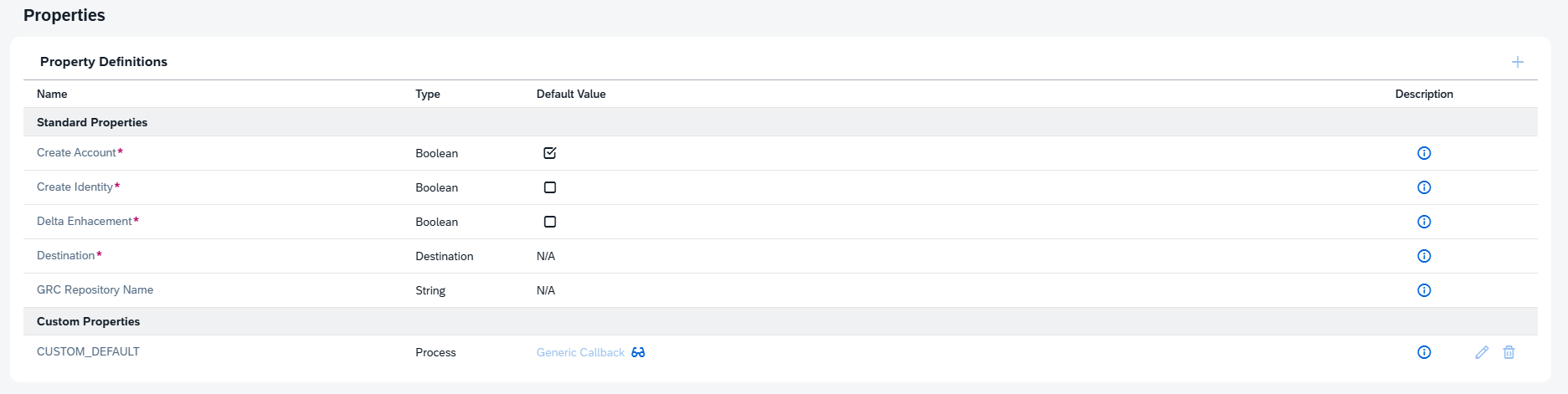
The Properties section is a powerful feature that defines system-specific behavior. All properties are displayed in a table for easy management and configuration.
For detailed information on the different types of properties and their behavior, see the Properties section.
Metadata
The Metadata section contains the description of the repository or repository type.
The description is currently read-only in all versions and revisions.
| Action | Repository Type | Active Version / Revision | Repository | Active Version / Revision |
|---|---|---|---|---|
| Change description | ✖ | - | ✖ | - |