Processes
Overview
The Processes section in ROI iAM provides a structured view of all configured processes. These processes are grouped into folders based on the connectors used within the system. Each folder contains its own set of contributors, and individual processes may reference or depend on other resources within the platform.
Access
To learn more about the neccessary access and prerequisite requirements for this section, please review the following documentation: Security
Folder View
The folder view allows users to navigate through folders and processes, inspect their associated contributors, and view dependencies.
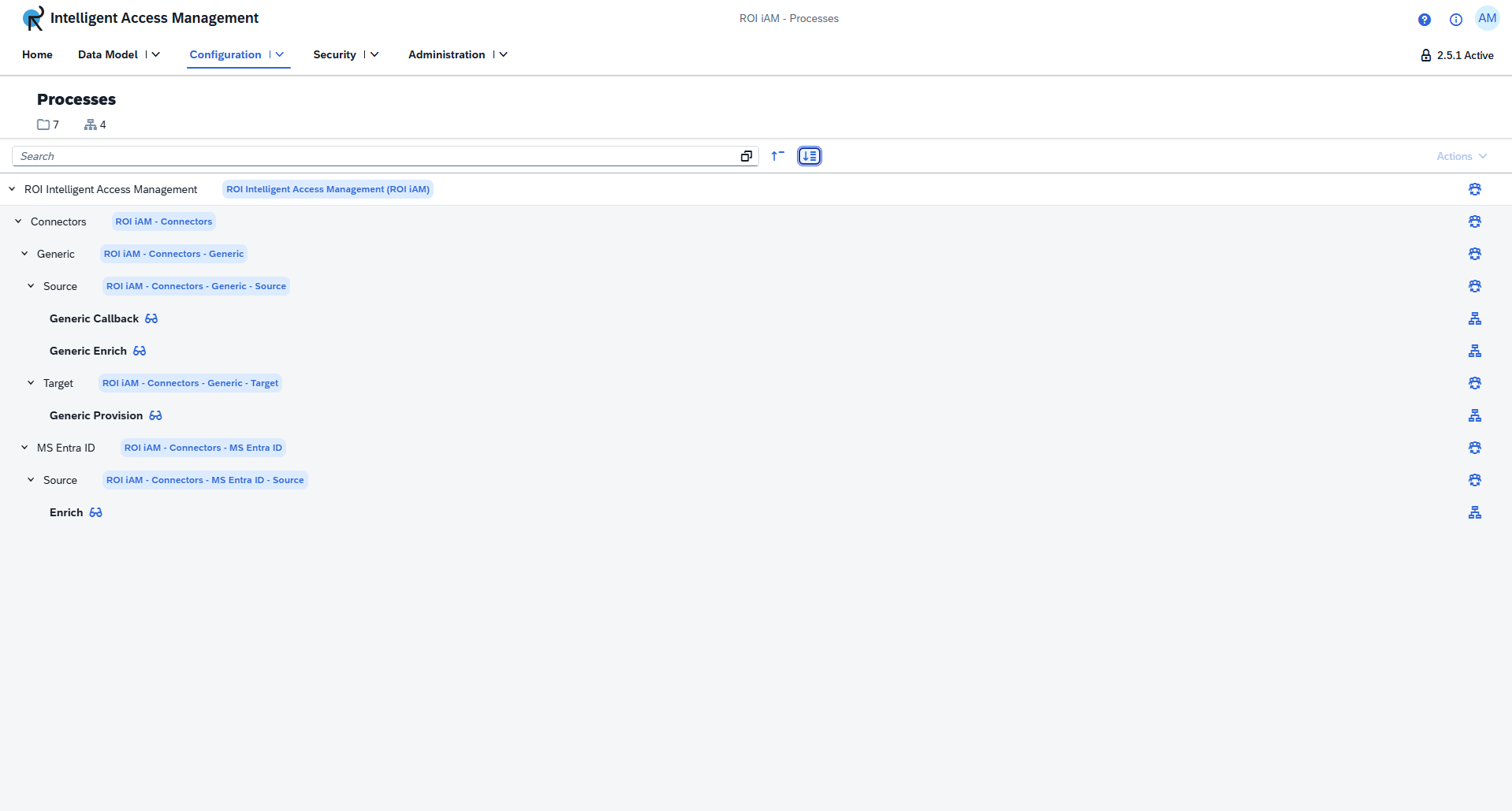
At the top of the component, users can see the number of folders and processes available in the currently selected version or revision. A search bar is available below, opening a dedicated search dialog that helps locate folders or processes by name.
Folders display both their display name and technical name. The technical name is shown in a blue tag, and a contributor list can be accessed through the contributor button on the right.
Processes include a Display button, which opens the process details, and a Dependencies button, which opens a dialog presenting all related resources in a categorized layout.
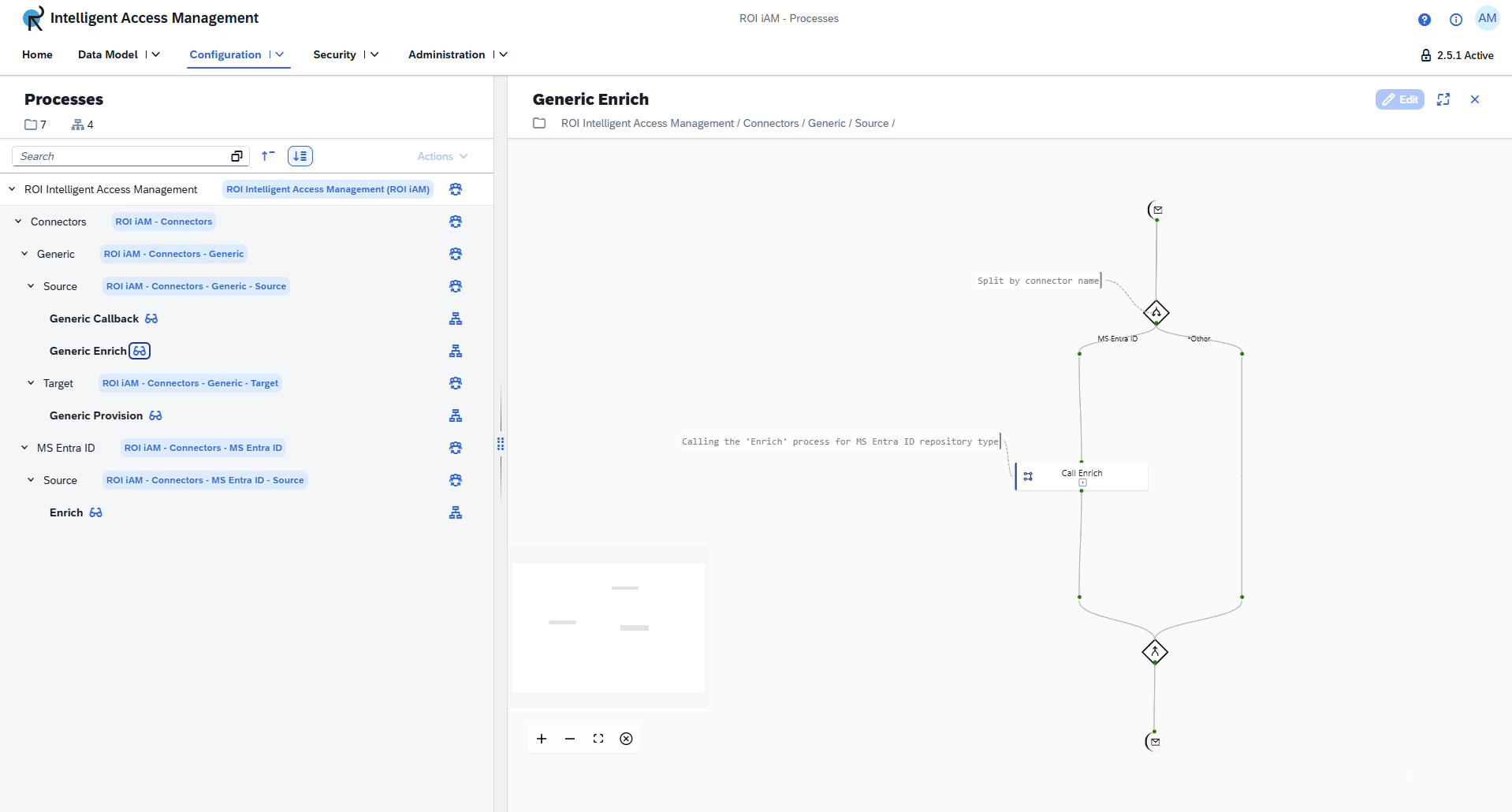
Process details view
The details view provides a diagram representing the selected process. Nodes within the diagram can be selected to reveal additional information about the processes, schemas, and mappings they reference.