

Change Management
Overview
Change management is a dedicated section which provides information about all versions and revisions in ROI iAM. It organizes version statuses into meaningful categories and tracks each change to the Active version in a timeline view. The section enables users to simulate setups, test configurations before a go-live date, prepare for rollouts, and evaluate different scenarios.
When a user opens the Change Management tile, all available versions and revisions are displayed in a list. They are organized in four categories: Released, Staging, Revisions, and Archived.
Each version and revision has the following properties:
Type - The Type appears in the tag on the left. Each type has a different color tag.
Name - The Name is a link, which leads to the Comparison view.
INFO
The Comparison view is under development and will be available in the future.
Description - The Description appears as text under the name.
Base Version - The Base Version appears in the bottom-left corner and represents the version that the current version or revision is based on.
Created at and created by labels - The Created at and Created by values appear as a date and an email next to the base version.
Following the Created at and Created by values, the item shows information about when a version was Activated, Deactivated, or Imported, depending on the version type.
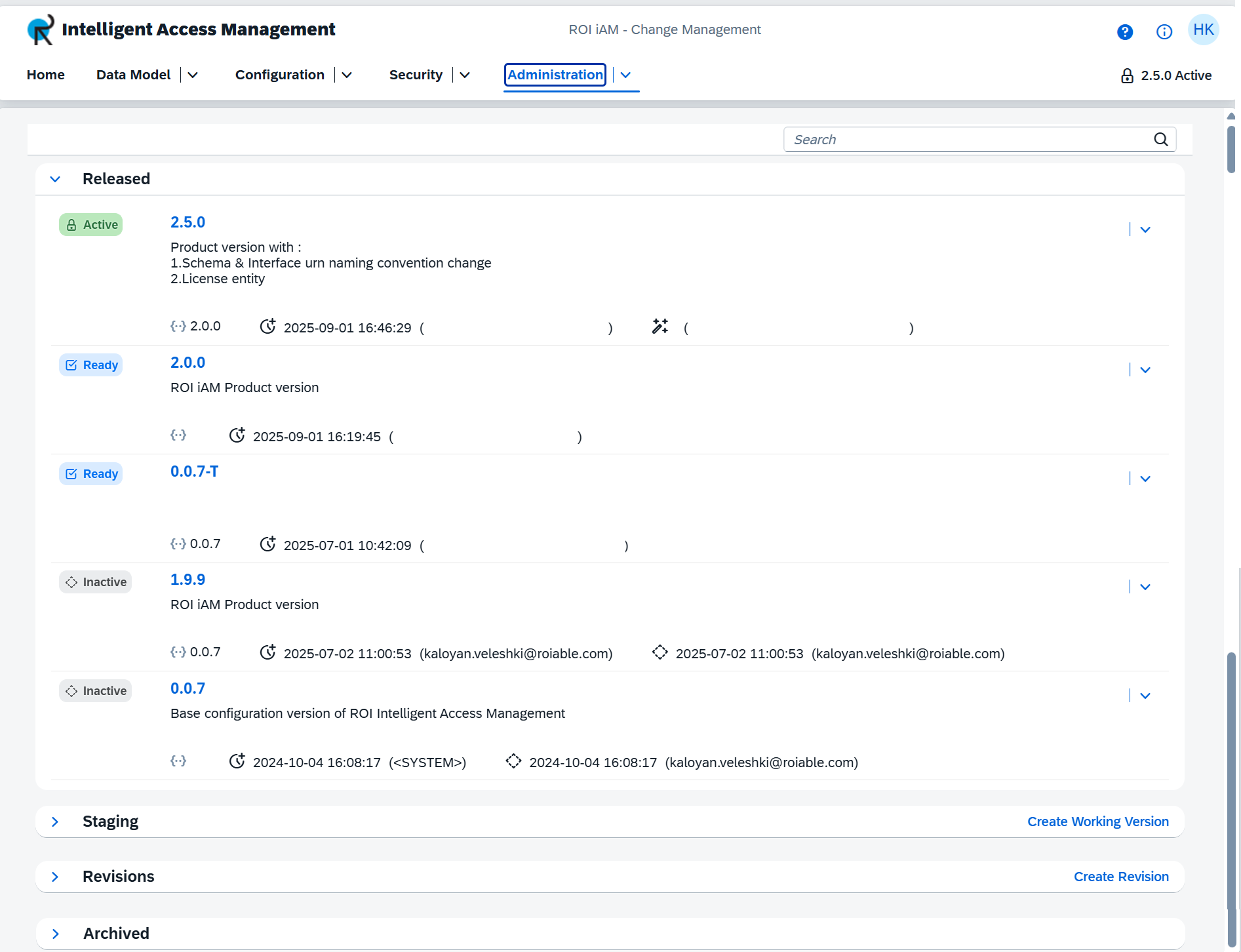
NOTE: Upon initial configuration of ROI iAM, the list contains only one version: the Active version.
Guide structure
This guide is organized in the following sections, each highlighting a specific aspect of the ROI iAM Change Management and its capabilities.