

Installation / Update
The sections below describe the steps for a fresh installation or an update of ROI iAM Migration on an SAP NetWeaver Application Server Java (AS Java), where SAP IdM Java services are installed.
NWA Deployment and Configuration
- Deploy ROI iAM Management
- Deploy ROI iAM Management to the SAP NetWeaver Application Server Java (NWA) using Telnet or any other standard method for deploying
.sca/.earfiles.
- Datasource Configuration in NWA
- Configure the datasource:
IDM_DataSource– the standard IdM database datasource connection is used.- If the standard IdM database datasource connection has a different name, an alias should be created with the name
IDM_DataSource.
UME Initial Configuration
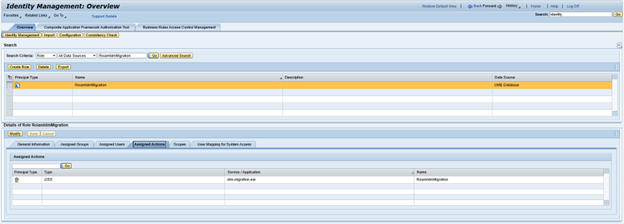
- Create ROI iAM Migration Role in UME
- Create the communication role RoiamIdmMigration.
- Create ROI iAM Users in UME
- Create the communication user
ROIAM_TECHif it does not exist. - Assign the UME role RoiamIdmMigration.
- Provide the
ROIAM_TECHcredentials to the team responsible for ROI iAM Migration management.