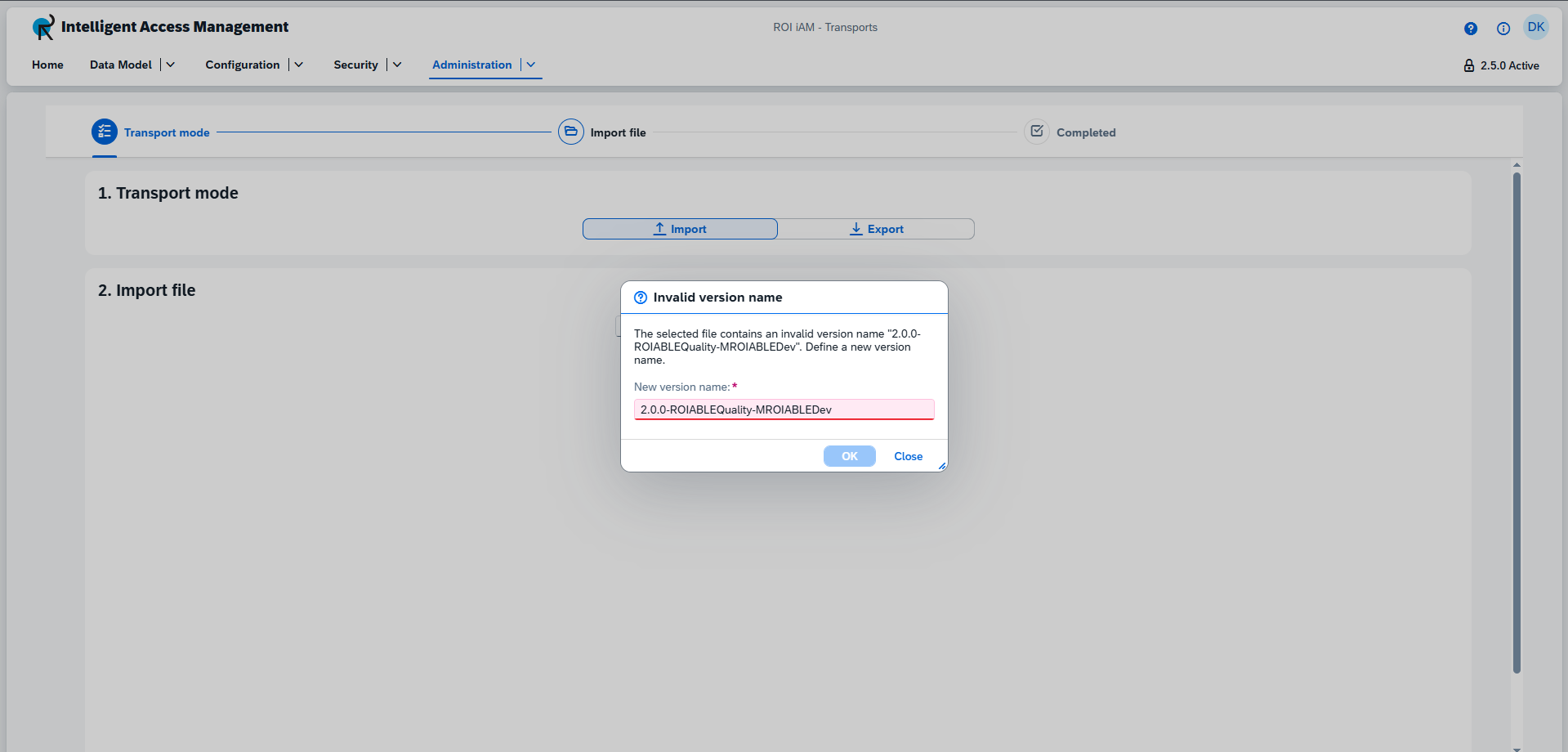

Version Name Conflicts
If you attempt to import a configuration with a version name that already exists in the target system, a conflict resolution dialog will appear.
Existing Valid Name
If the version name already exists, ROI iAM will automatically propose a new, unique name to avoid duplication.
- Naming Convention: The new name is generated by appending a suffix to the original version name. For example, if
1.2.0-myVersionexists, the first duplicate will be named1.2.0-myVersion-A, the next1.2.0-myVersion-B, and so on. The suffixing continues with-AA,-AB, etc., after-Z. - Action: Click
OKto accept the proposed name and proceed with the import.

Invalid Name Format
If the version name in the file is invalid, the input field will become editable, allowing you to provide a new name. The name must follow these validation rules:
- Format: The name must start with a numeric part, which can optionally be followed by a dash
-and an alphanumeric description. For example:1.0.1-roiamDev. - Numeric Part: This section uses dot notation (e.g.,
1.0,2.5.1) and has a maximum length of14characters. It must be higher than the base product version. - Alphanumeric Part: This optional section can be up to
50characters long and may include uppercase and lowercase letters and numbers, but no spaces. - Total Length: The entire version name cannot exceed
64characters. - Uniqueness: The name must be unique within the ROI iAM instance.