

Subaccount(s)
Overview
The most common setup for the product is to have four subaccounts per tier, which split the services as shown:
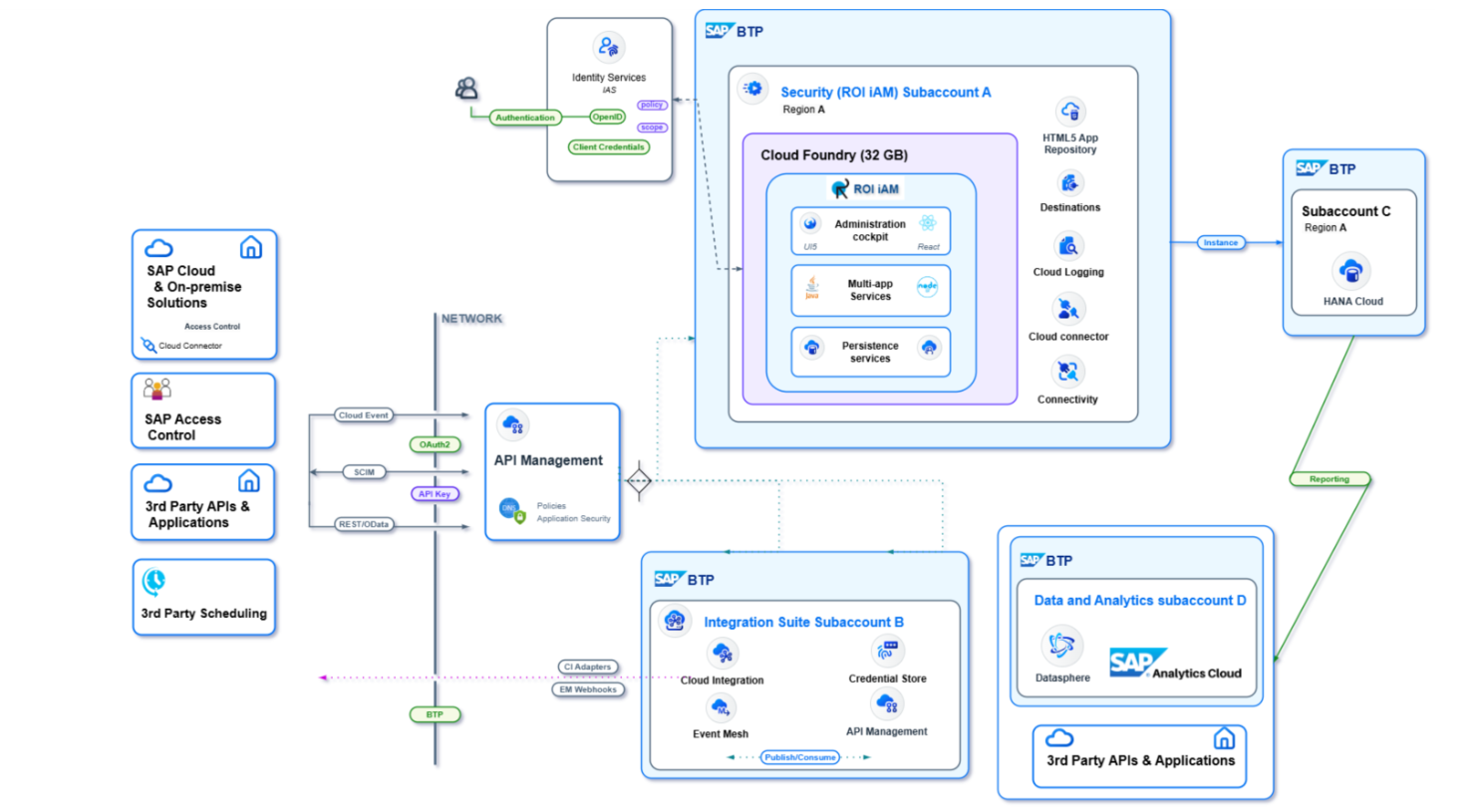
Note: Four subaccounts (A, B, C, and D) exist, but D is optional and required only for reporting purposes with direct connection to the SAP HANA Cloud database. The setup for subaccounts A to C follows below.
A – Security (ROI iAM)
This subaccount serves as the main hosting environment for the ROI iAM product. All applications deploy there within the Cloud Foundry space created, and bindings establish to various services that facilitate communication with the other subaccounts and service instances. Usually, before ROI iAM deployment in a customer landscape, this subaccount does not exist and is created specifically for this purpose. To provide quality and timely support of the product, the ROI iAM team requires full administrative permission on this subaccount.
B – Integration (SAP Integration Suite)
If this service is already subscribed within the customer landscape, it has its own dedicated subaccount per tier (e.g., QA and PROD). Often the service deploys on three tiers instead of two. If the subaccount is already configured, up, and running, it makes sense to reuse it for the product deployment. No new subaccount is needed in this case, and the existing one connects to ROI iAM later.
C – Persistence (SAP HANA Cloud)
The same applies to the Integration Suite subaccount. If SAP HANA Cloud is already adopted by the customer, it most likely hosts its own subaccount. This setup can remain as is. The only requirement for ROI iAM to operate is the creation of a dedicated schema with a dedicated admin user for it. This is explained in detail in the following sections.