

Subaccount B – Integration (SAP Integration Suite)
Overview
If ROI iAM requires RFC on-premise connectivity, connect a Cloud Connector to the same subaccount.
Configure the API Management Service
Cloud Integration User Roles Setup
Prerequisite
These steps must be completed first, as some components depend on the roles to function properly.
- Go to the Integration Suite
- Go to Monitor > Integrations and APIs
- Go to User Roles
- Add the following roles:
ROIAM_RT_COREwith description "ROI iAM CI Runtime Access for Core packages"ROIAM_RT_CUSTOMERwith description "ROI iAM CI Runtime Access for Customer packages"
Service instances
SAP Process Integration Runtime
- Plan: api
Manual step - Service instance
Create the service instance with the following configuration:
{
  "grant-types": ["client_credentials"],
  "redirect-uris": [],
  "roles": ["WorkspacePackagesRead", "AuthGroup_IntegrationDeveloper"],
  "token-validity": 43200
}- Plan: integration-flow
Manual step - Service instance
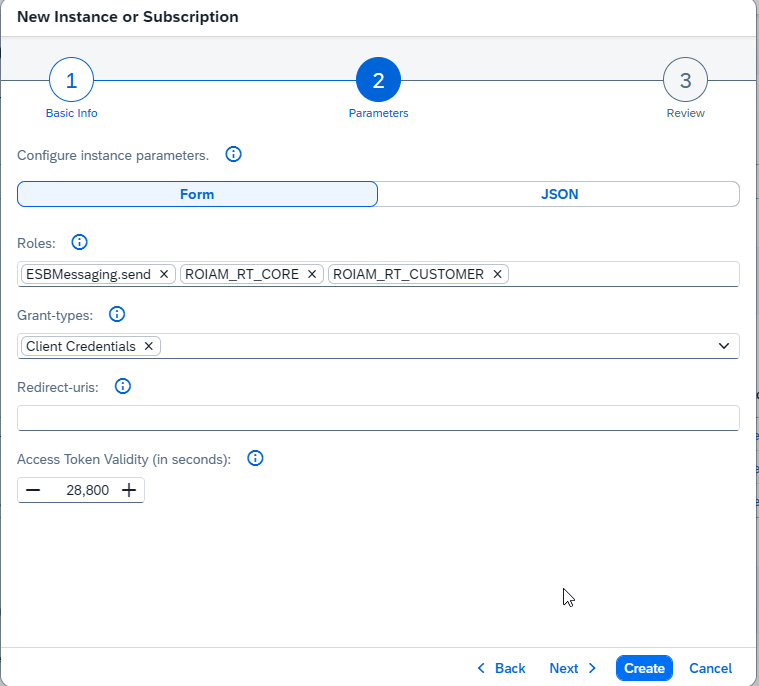
Create the service instance with the following configuration:
{
  "grant-types": ["client_credentials"],
  "redirect-uris": [],
  "roles": ["ESBMessaging.send", "ROIAM_RT_CORE", "ROIAM_RT_CUSTOMER"],
  "token-validity": 28800
}
Important
The recommended name for the service instance is "roiam-rt-core".
SAP Integration Suite, Event Mesh
- Plan: message-client
Manual step - Service instance
Create the service instance with the following configuration:
{
  "emname": "ROIAM_EventMesh",
  "namespace": "roiam/event/mesh",
  "resources": {
    "units": 50
  },
  "options": {
    "management": true,
    "messaging": true,
    "messagingrest": true
  },
  "rules": {
    "queueRules": {
      "publishFilter": ["${namespace}/*"],
      "subscribeFilter": ["${namespace}/*"]
    },
    "topicRules": {
      "publishFilter": ["${namespace}/*"],
      "subscribeFilter": ["${namespace}/*"]
    }
  }
}
Service instance keys
Important
Create a dedicated service key per service instance.
Important
Share the created service instance(s) and key(s) with the team deploying ROI iAM.
Download Integration Suite certificate
INFO
This step is necessary only if needed for the GRC or IdM Accelerators.
INFO
- Navigate to SAP Integration Suite – Monitor, Integrations and APIs

- Manage Security – Key Store
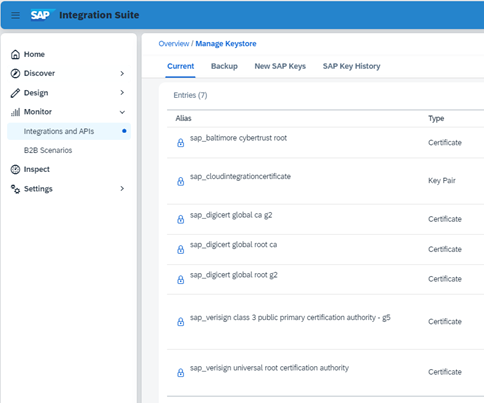
- Download:
sap_digicert_tls_rsa4096_root_g5